Overview
What a ComfiConf integration gives your Paper plugin, how a change reaches it, and what stays under your control.
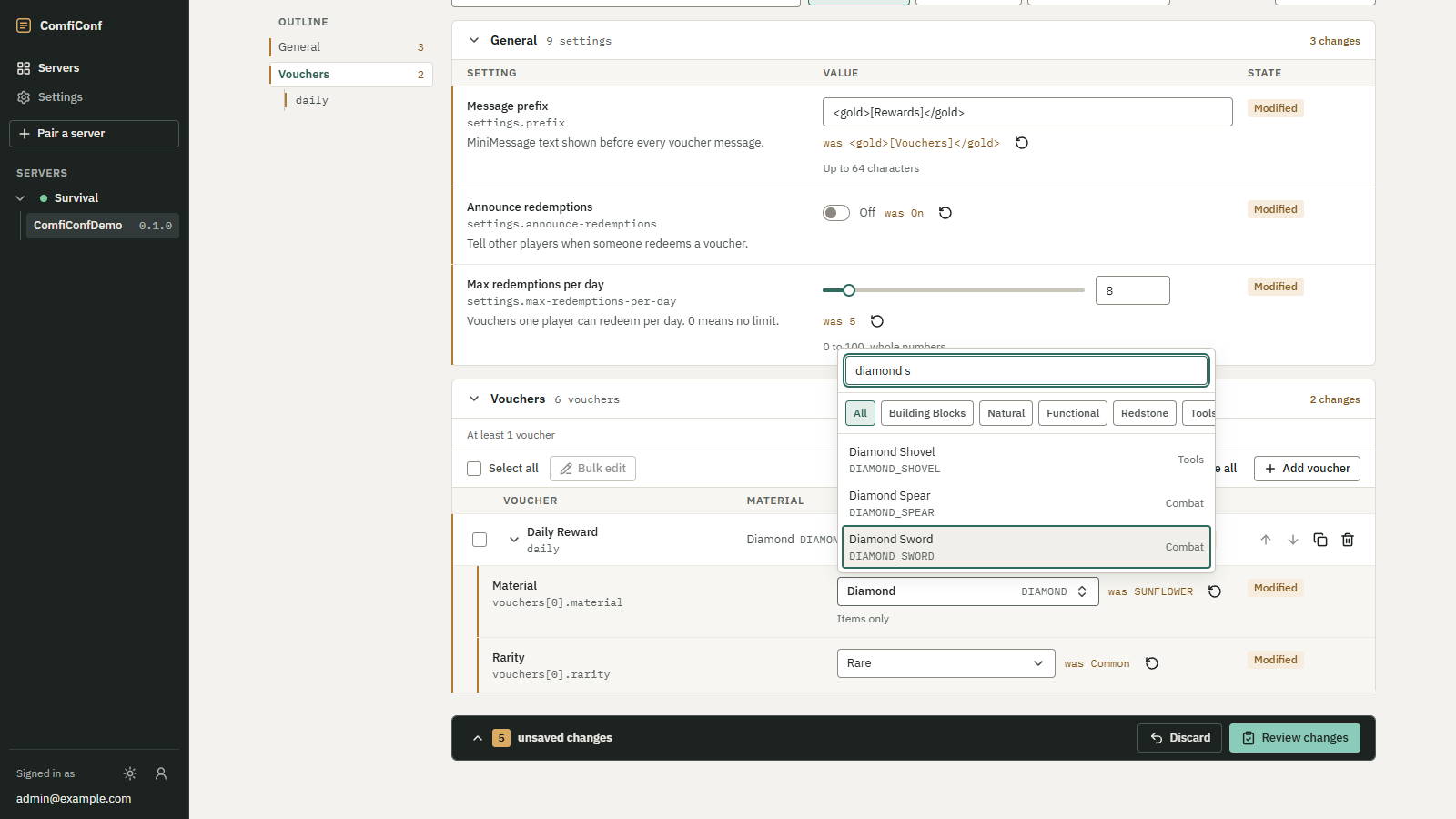
ComfiConf gives server owners a web editor for plugin settings. Your plugin defines what can be configured and how a change is activated; ComfiConf provides the interface. You describe your settings once with the Java API, and ComfiConf generates the editor, checks every submission against your description, shows the owner a review of each change, and hands the change to your plugin.
 Opens the full-size image.
What an integration gives your plugin
- An editor without web code. Text, toggles, numbers with sliders, dropdowns, multi-selects, a material picker, nested groups and repeatable entries with bulk editing, all generated from your schema.
- Validation before your code runs. The bridge checks types, ranges, patterns, choices, required values, list
sizes and duplicate keys. Your
validatecallback only adds the rules a schema cannot express. - A review step. The owner sees every change with its old and new value, your warnings and errors, and which changes need a restart, before anything is saved.
- Conflict detection. Revisions tell the bridge when your file changed outside ComfiConf, so stale values are refused instead of overwriting newer ones.
- Safe saves.
SafeFileWriterre-checks the revision under a lock, keeps backups and replaces files atomically.SectionMappermaps a Bukkitconfig.ymlto your schema and back, keeping comments and keys the schema does not declare. - Secrets that stay on the server. Sensitive fields never leave it; write-only fields can be replaced from the editor without being shown.
How a change flows
web editor  --HTTPS-->  backend  <--WebSocket (outbound from the server)--  ComfiConf bridge plugin
                                                                                   |
your plugin (ConfigProvider)- The server owner installs the ComfiConf bridge plugin (plugin name
ComfiConf). It opens an outbound WebSocket to the backend, so no port is opened on the Minecraft server, and is paired with the owner's account once with/comficonf pair. - Your plugin registers a configuration resource with the bridge: a stable id, a display name and a
ConfigProviderwith four callbacks. - When the owner opens your resource, the bridge calls
describe()(the schema) andread()(current values). The editor is generated from the schema; there is no plugin-specific web code. - When the owner applies a change, the bridge checks the submitted values against your schema, computes the
changes, calls your
validate()for rules the schema cannot express, and finallyapply(), where your plugin persists the values and activates them. The bridge reports your truthful outcome back to the editor.
What stays under your control
Not a remote file editor
The bridge never reads or writes your files and exposes no file, console or command access to the backend. Everything goes through your callbacks, so your plugin keeps full control over storage, validation and activation.
- Your plugin owns its files. Only declared keys are ever sent to the editor; everything else in your file
stays private, and your
applypreserves it. - Your plugin decides what is applied. It can reject values, report warnings, or save a change that waits for
a restart. The editor shows exactly the outcome you return, and
APPLIEDmeans the values are stored and active. - Your plugin works without ComfiConf. The API is a soft dependency; without the bridge, your plugin starts and runs as before.
Where to go next
- Quickstart: add the dependency, declare the soft dependency, register a resource and try it on a server.
- Concepts: resources, schemas, values, revisions, apply modes and outcomes.
- Schema reference and Providers: every builder and callback.
- Demo plugin: the reference integration, ComfiConfDemo, explained file by file.